08. Lighting from the Sky
Now that we have a general overview of the Lighting window, let’s dive deep into Scene tab.
Starting from the top, we have the Environment Lighting section.
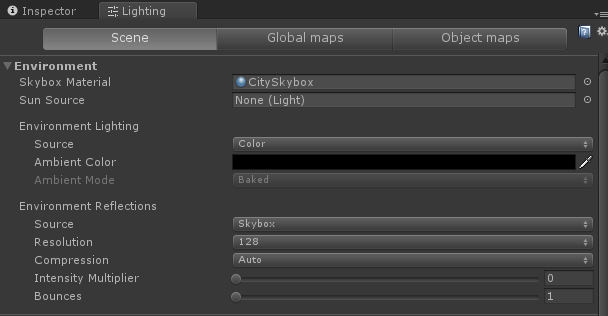
Remember the Skybox from last lesson? In that lesson, we added a Skybox to a component on our Camera. But that resulted in us not being able to see our Skybox in the Scene view. If we want to see it in the scene view as the default Skybox for our Cameras, we can actually set a Skybox in this section.
Let’s set the Skybox to the one we created last lesson by dragging and dropping it onto the tab.
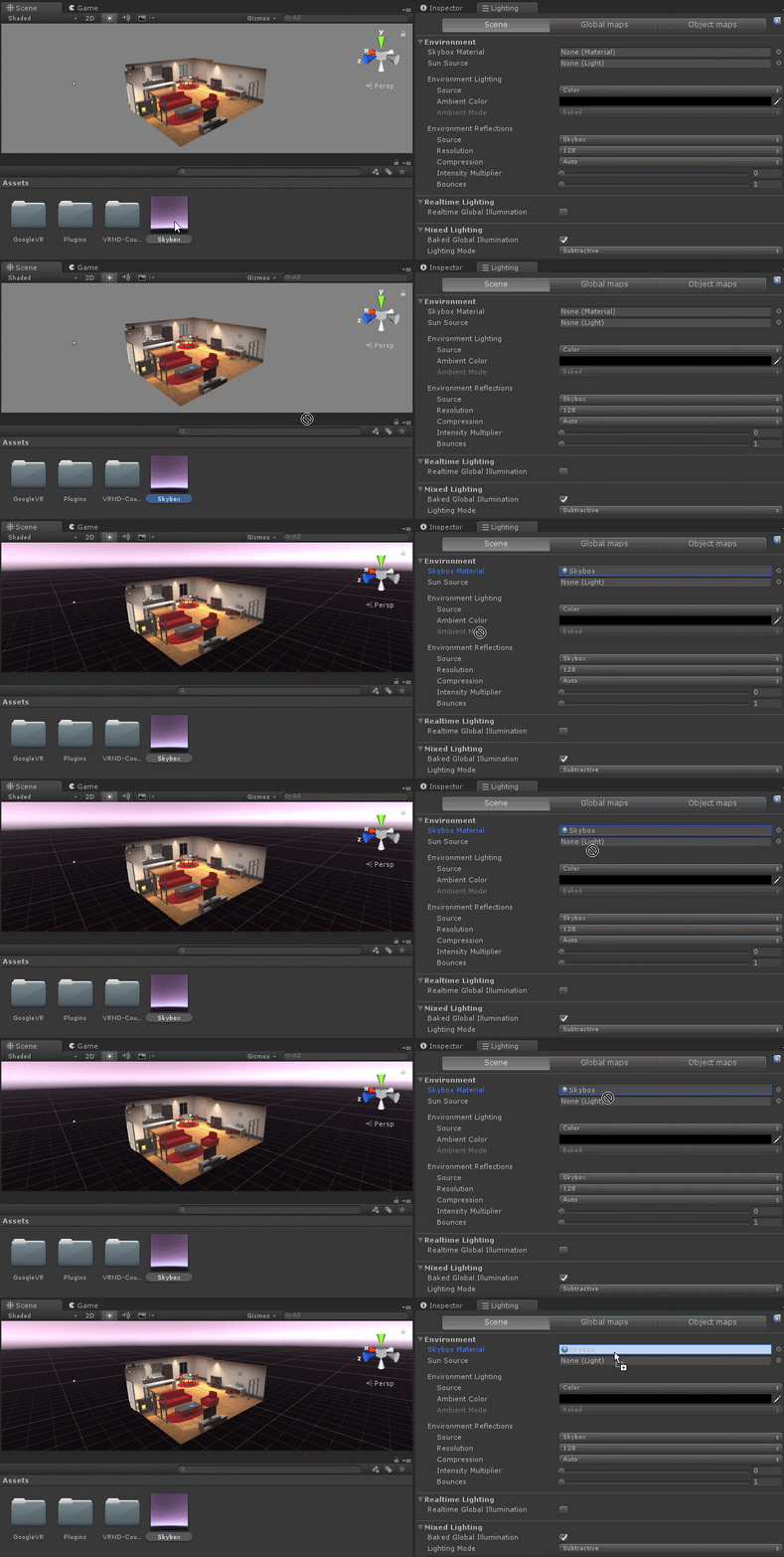
If you don't see a red tinted skybox in the Scene View, it may be because either you don't have a directional light in the scene OR the rotation of your directional light is incorrect. You can easily fix this by creating a directional light and rotating it.
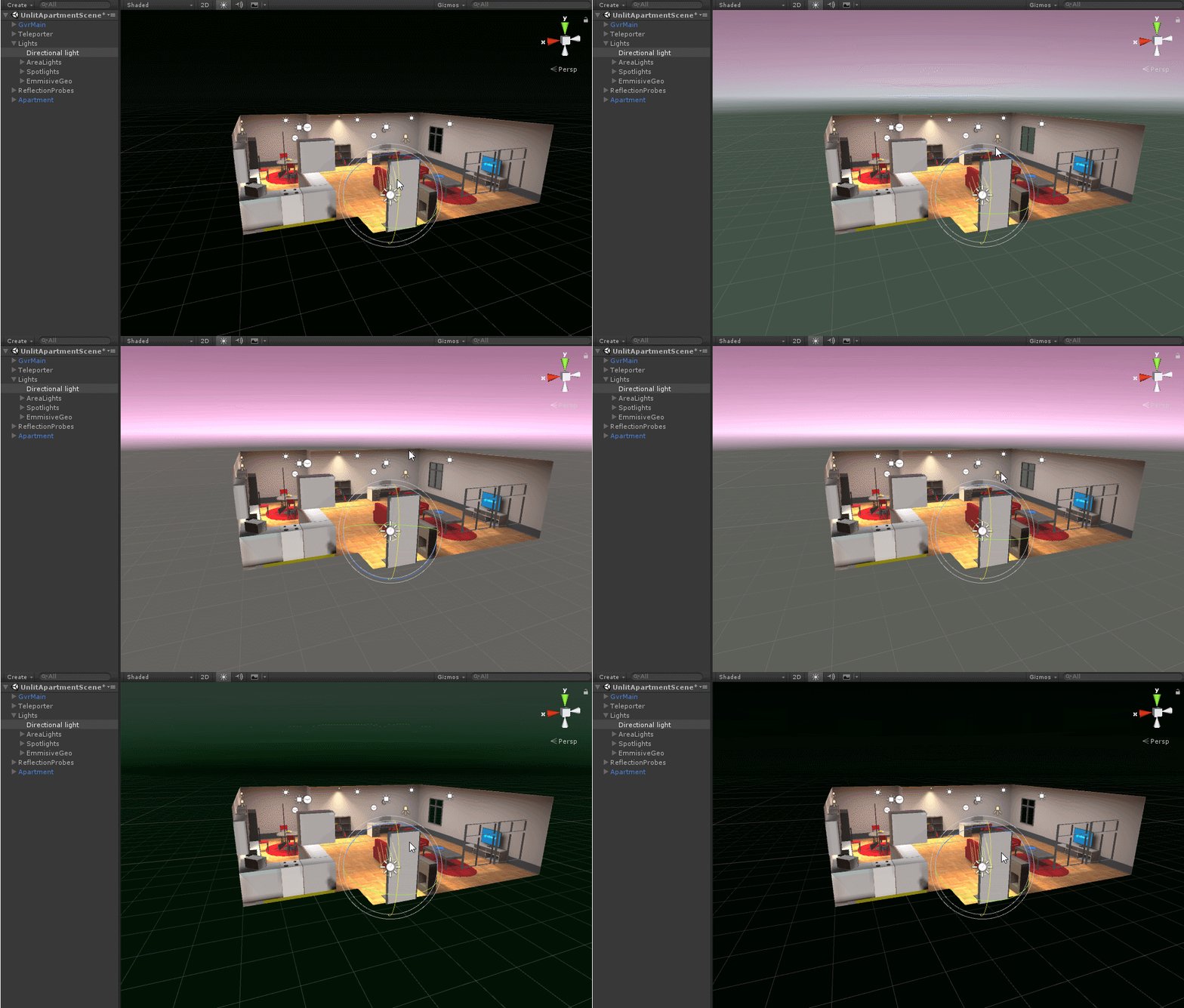
Awesome, we have our Skybox set up properly!!
Now, moving to the next property in the Lighting panel, we have Ambient light.
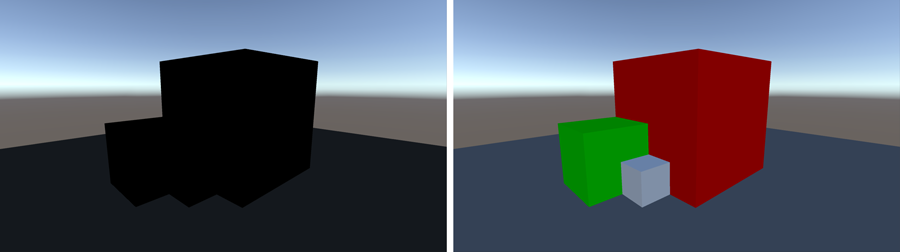
Unlike any light we have discussed before, Ambient light is a light source that affects all objects in the scene at a fixed intensity and from all directions. Basically, think of it as a a 360 degree directional light. In the image below from the Unity documentation, the same objects are rendered except the left image has no lighting and the right has just ambient lighting.
We can set Ambient Lighting to be sampled from the Skybox, a gradient, or a simple color. For the purposes of our apartment, we will be using a color. Once we select Color, we can then change the Ambient Color property. Since most of the lighting will come from our area lights, we will choose to set the Ambient color to black, which is the same as no ambient light.
The last core component of Environment Lighting is Reflections.
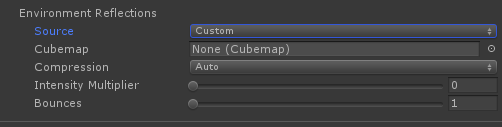
In the real world, light bounces off a bunch of object, but calculating that in real-time is an expensive process. Unity has a system in place for calculating reflections for use with shiny objects and in the Environment tab allows us to specify how reflections are calculated from the sky. Since our apartment is indoors, we don’t want to be affected by the sky, and thus want to turn off Environment Reflections.
To do that, simply make sure that our Reflection Source is set to Custom and its Cubemap is set to none.
If you do make a scene that you want Reflections for, make sure to read here for more information.